Call us now :07971189175
 Send Inquiry
 Send Inquiry
Sigmastat Statistical Software
MOQ : 1 Piece
Sigmastat Statistical Software Specification
- Support System
- Online and Email Support
- Compatible System
- Windows Operating System
- Usage
- For Research and Data Analysis
- Capacity (Person)
- Single User License
- Security Features
- Password Protected Access
- Language Support
- English
- Interface Type
- User-Friendly Graphical Interface
- Type
- Statistical Software
- Application
- Statistical Data Analysis
- License Type
- Perpetual License
- Graphical Capabilities
- Advanced Statistical Graphs Generation
- Data Security
- Data encryption and secure file handling
- Minimum System Requirements
- Pentium II or compatible, 128 MB RAM, 80 MB free hard disk space
- Installation Type
- Standalone Installation
- Import/Export Format
- Supports Excel, ASCII, and other statistical formats
- Publisher
- Systat Software Inc.
- Version
- 3.5
- Reporting Functions
- Comprehensive, Customizable Reporting
- Updates
- Regular Software Updates Available
Sigmastat Statistical Software Trade Information
- Minimum Order Quantity
- 1 Piece
- Supply Ability
- 10 Pieces Per Week
- Delivery Time
- 4-12 Week
Sigmastat Statistical Software About
Statistical Statistical Software is a wizard-based as well as simple-to-use statistical analysis software package that is designed to guide users through all phases of the statistical analysis. It enables you to perform the powerful statistical analysis, regardless of how much statistical expertise you have. It is tailored to the areas of life science as well as medical research and is provided as a stand-alone solution. Statistical Statistical Software can be utilized to test the postulated factor structure that is based on previous information about the relationship between the latent variables and observed variables. It basically reports goodness-of fit-statistics in 2D and 3D graphs.Advanced Graphical and Reporting Features
Sigmastat Software empowers users to generate detailed statistical graphs and comprehensive reports tailored to their analysis needs. The customizable reporting functions simplify the presentation of complex data, making results more accessible and impactful for academic, industrial, or organizational decision-making.
Secure Data Management for Research Integrity
With robust encryption and password protected access, Sigmastat ensures confidential handling of sensitive statistical data. This security-focused approach supports researchers and analysts who require reliable protection for their datasets, maintaining data integrity throughout every stage of analysis.
Seamless Integration and User-Friendly Experience
Supporting Excel, ASCII, and other formats, Sigmastat streamlines import and export, reducing manual workload. Its graphical interface is designed for ease of use, enabling both newcomers and experienced analysts to perform sophisticated statistical analysis efficiently and intuitively.
FAQs of Sigmastat Statistical Software:
Q: How do I install Sigmastat Statistical Software Version 3.5 on my Windows system?
A: To install Sigmastat 3.5, ensure your system meets the minimum requirements: a Pentium II or compatible processor, 128 MB RAM, and 80 MB of available hard disk space. Run the standalone installer on your Windows operating system, following the on-screen instructions to complete the setup process.Q: What data formats can I import and export using Sigmastat?
A: Sigmastat supports importing and exporting data in Excel, ASCII, and other common statistical formats, enabling seamless integration with various datasets and enhancing compatibility for data analysis.Q: When should I use Sigmastats advanced graph generation features?
A: Utilize the advanced graphical capabilities when you need to visualize complex statistical relationships, produce publication-ready charts, or present data insights clearly to colleagues or stakeholders during research or reporting activities.Q: Where can I access support if I encounter issues with Sigmastat?
A: Support for Sigmastat is available through dedicated online and email channels provided by Systat Software Inc. Users can reach out for technical assistance, troubleshooting, or guidance on software features.Q: What is the benefit of the perpetual license provided with Sigmastat 3.5?
A: The perpetual license allows you to use Sigmastat Statistical Software indefinitely without recurring subscription fees, delivering long-term value and uninterrupted access for individual research and data analysis.Q: How does Sigmastat ensure the security of my statistical data?
A: Sigmastat employs data encryption and password-protected access, safeguarding your information and ensuring that your analyses remain confidential and secure throughout the research process.Q: Who can use Sigmastat Statistical Software and for what purposes?
A: Sigmastat is ideal for researchers, analysts, and academicians working with statistical data. It is used for in-depth data analysis, visualization, and reporting, with applications in scientific research, industrial studies, and academic projects.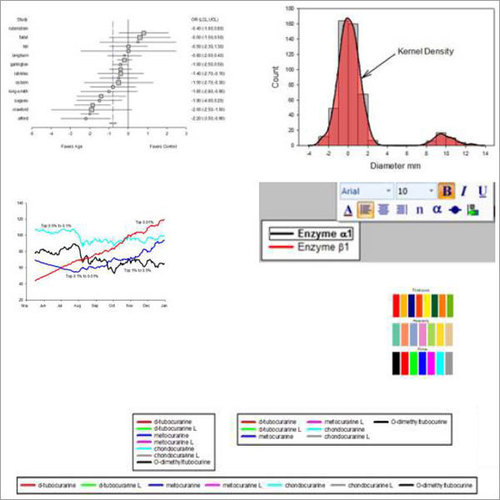
Tell us about your requirement

Price:
Quantity
Select Unit
- 50
- 100
- 200
- 250
- 500
- 1000+
Additional detail
Mobile number
Email

More Products in Statistical Analysis Software Category

Structural Analysis Software
Price Range 50000.00 - 500000.00 INR / Piece
Minimum Order Quantity : 1 , , Piece
Support System : Online & Onsite Support
Compatible System : Windows 10/11, Linux
Application : Structural Modeling, Analysis, and Design
Usage : Industrial, Commercial, Academic

We are providing our products across India.
 Send Inquiry

Our Products

B-302, Taj Enclave, Geeta Colony,Delhi - 110031, India

 Send Inquiry
 Send SMS
Developed and Managed by Infocom Network Private Limited.
