Call us now :07971189175
 Send Inquiry
 Send Inquiry
MSEW Software
MOQ : 1 Piece
MSEW Software Specification
- Usage
- Geotechnical and Structural Design of Reinforced Soil Structures
- Language Support
- English
- Compatible System
- Windows OS
- Interface Type
- Graphical User Interface (GUI)
- Capacity (Person)
- Multi-User
- Support System
- Online and Offline Support
- Security Features
- User Authorization & Role Based Access
- Type
- Design and Analysis Software
- Application
- Civil Engineering, Construction Projects
- Training
- Online Training & Tutorials Available
- Data Import/Export
- Spreadsheet and CAD Import/Export Features
- Update Frequency
- Periodic Software Updates
- User Manual
- Comprehensive Digital User Manual Included
- Customization Options
- Project Parameter Customization
- Licensing Mode
- Perpetual and Subscription-Based
- System Requirements
- 4GB RAM Minimum, 2 GHz Processor, 500 MB Disk Space
- Support Hours
- 9:00AM - 6:00PM IST (Mon-Fri)
- File Format Support
- DXF, DWG, PDF Export
- Developer
- MSEW (by Repute Engineers Pvt. Ltd.)
- Software Version
- Latest Version as per Provider
MSEW Software Trade Information
- Minimum Order Quantity
- 1 Piece
- Supply Ability
- 10 Pieces Per Week
- Delivery Time
- 4-12 Week
MSEW Software About
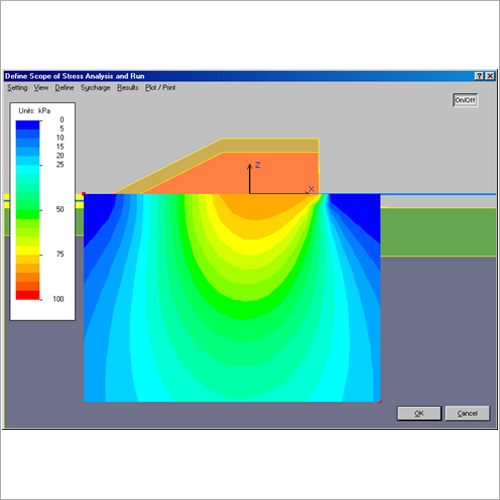
MSEW+ is an interactive program for the design and analysis of mechanically stabilized earth walls.
It follows the design guidelines of:
- AASHTO98 /Demo 82
- AASHTO02/FHWA-NHI-00-043
- AASHTO 2007-2010
- FHWA-NHI-10-024 (as related to traffic barrier load and some of the bridge abutment methodology)
- NCMA1997
- AASHTO 2017-2020. Simplified AASHTO Method for geosynthetics and metallic reinforcement as well as an option for using Coherent Gravity Method for metallic.
- AASHTO 2020 Simplified Stiffness Method for geosynthetics which can be used instead of the Simplified AASHTO.
- Note: An alternative method for designing geosynthetic walls allowed in AASHTO 2020 is based on limit equilibrium (LE). Its unique feature is its ability to rationally deal with internal stability. This LE has been implemented in program ReSSA+. Hence, the two programs MSEW+ and ReSSA+ complement each other.
Comprehensive Design and Analysis
MSEW Software streamlines geotechnical and structural design of reinforced soil structures, making it ideal for demanding civil engineering and construction projects. Its robust analytical tools and user-friendly interface allow engineers to optimize their workflows from concept to completion.
Data Integration and Export Capabilities
Engineers can efficiently transfer project information thanks to MSEWs support for DXF, DWG file formats, as well as spreadsheet import/export and PDF generation. These features ensure seamless collaboration and documentation throughout the project lifecycle.
Security and Multi-User Support
With advanced user authorization and role-based access, MSEW Software safeguards sensitive project information. Multi-user capacity allows teams to collaborate securely and efficiently, enhancing productivity and control within organizations.
Training, Support, and Resources
MSEW Software includes a comprehensive digital user manual, online training, and a responsive support system available both online and offline. Engineers receive regular updates and personalized assistance during standard support hours (9:00AM - 6:00PM IST, Mon-Fri).
FAQs of MSEW Software:
Q: How can I import and export project data using MSEW Software?
A: MSEW Software enables you to import project data through spreadsheets and CAD files. It also allows exporting designs and reports in DXF, DWG, and PDF formats, facilitating seamless information exchange and documentation.Q: What are the key system requirements to install the latest version of MSEW Software?
A: To ensure smooth operation, your system should have a minimum of 4GB RAM, a 2 GHz processor, at least 500 MB of available disk space, and must be running Windows OS.Q: When are software updates released for MSEW, and how can I access them?
A: MSEW Software provides periodic updates to add features and improve performance. Registered users receive notifications and can download updates via the providers official channels.Q: Where can I find guidance and training resources for using MSEW Software?
A: A comprehensive digital user manual is included with the software. Additionally, online training sessions and tutorials are available to support users in maximizing software capabilities.Q: What customization options are available in MSEW Software for project parameters?
A: MSEW allows customization of key project parameters, enabling engineers to tailor the design and analysis workflow to specific project needs and standards.Q: How does MSEW Software ensure security and controlled access for multiple users?
A: The software implements user authorization and role-based access controls, ensuring only authorized personnel can view or modify sensitive project data in multi-user environments.Q: What are the benefits of choosing perpetual versus subscription-based licensing for MSEW?
A: Perpetual licenses provide lifetime access to the software, while subscription-based licensing ensures flexibility and lower upfront costs. Both options include technical support and regular updates during the license period.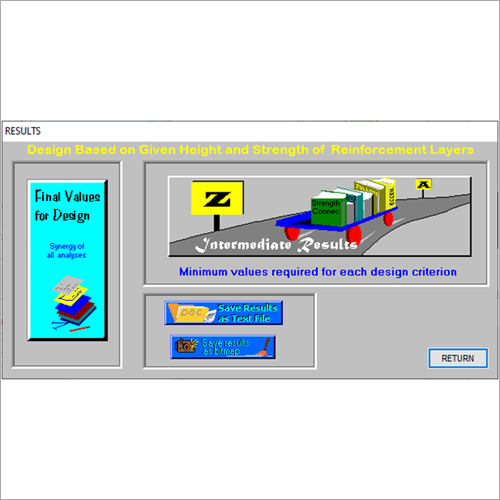
Tell us about your requirement

Price:
Quantity
Select Unit
- 50
- 100
- 200
- 250
- 500
- 1000+
Additional detail
Mobile number
Email

More Products in Geotech Programs Category
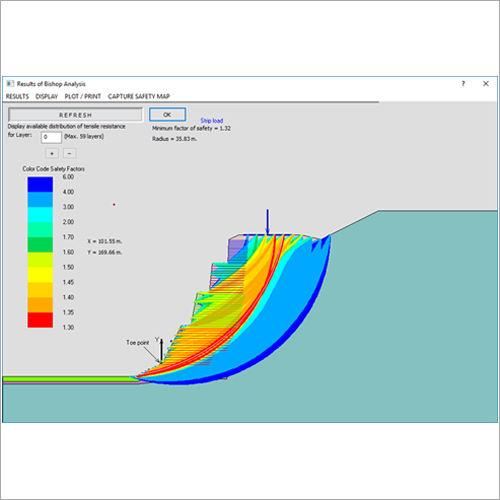
ReSSA Software
Price Range 50000.00 - 500000.00 INR / Piece
Minimum Order Quantity : 1 Piece
Support System : Windows
Capacity (Person) : Multiple Users
Usage : For Research and Analysis Purpose
Interface Type : User Friendly
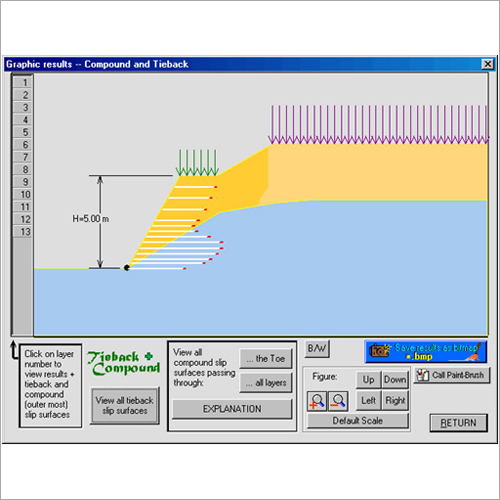
ReSlope Software
Price Range 50000.00 - 500000.00 INR / Piece
Minimum Order Quantity : 1 Piece
Support System : Online and Offline
Capacity (Person) : Multiuser
Usage : Slope Stability Calculation, Analysis, and Reporting
Interface Type : Userfriendly Graphical Interface
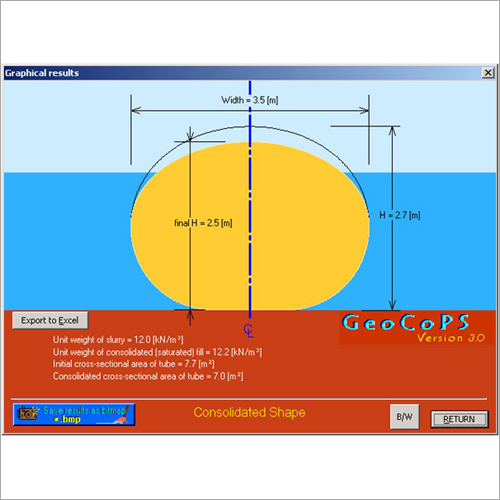
GeoCoPS Software
Price Range 50000.00 - 500000.00 INR / Piece
Minimum Order Quantity : 1 Piece
Support System : Windows OS, Customer Support
Capacity (Person) : Single/Multiuser operation
Usage : Precision Survey Calculations, Mapping, Geodata Management
Interface Type : Graphical User Interface (GUI)
FoSSA Software
Price Range 50000.00 - 500000.00 INR / Piece
Minimum Order Quantity : 1 Piece
Support System : 24/7 Technical Support
Capacity (Person) : Multiuser Capability
Usage : Automated Identification of Vulnerabilities in Open Source Components
Interface Type : Webbased GUI

We are providing our products across India.
 Send Inquiry

Our Products

B-302, Taj Enclave, Geeta Colony,Delhi - 110031, India

 Send Inquiry
 Send SMS
Developed and Managed by Infocom Network Private Limited.
